AI Mascot Generator: Design a Brand IP Character
How to design a brand mascot with AI: a prompt template for cute 3D IP characters, tips for keeping the character consistent across poses, and how to animate it into video.
 SeeAny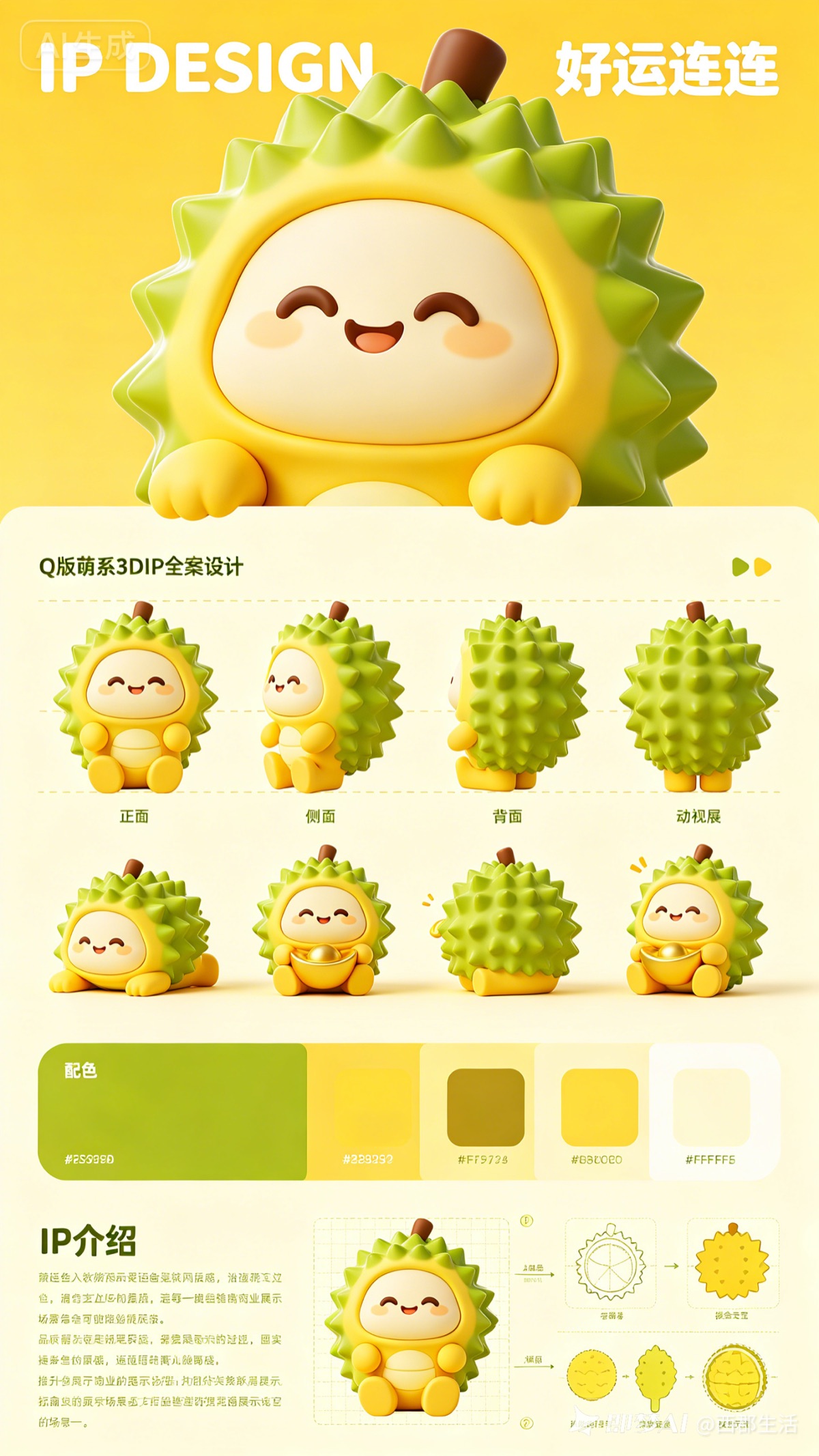
A good mascot used to mean hiring a character designer for weeks. With today's image models you can concept a brand IP character in an afternoon — and because models like Nano Banana 2 hold character consistency across generations, you can take the same character into poses, merch mockups, and even video.
The mascot prompt template
Start from this structure and replace the bracketed parts:
"Chibi 3D IP mascot design, a [fruit/animal/object] character in [two-color palette], big round face, [personality: cheerful / sleepy / mischievous] expression, glossy toy texture, front view, clean studio background, full character sheet."
The cover of this post came from exactly this kind of prompt — a yellow-green durian mascot with a big round face. Specific palette + personality words matter more than long adjective lists.
Iterate the design
- Round one: generate 8–10 variations, keep only the silhouette you like. Silhouette is the mascot — colors and faces are easy to fix later.
- Round two: lock the silhouette in your prompt ("same character as...") and vary expression and pose.
- Round three: ask for a character sheet — front, side, back views — so anything you build later stays on-model.
Keep the character consistent
Consistency is the hard part of AI mascot work. Two things help:
- Reference images. Upload your best generation as a reference — image models with edit variants will preserve identity while changing pose or scene.
- Verbatim character description. Keep one canonical sentence describing the character and paste it into every prompt, unchanged.
From mascot to marketing assets
Once the character is stable, spin it into real deliverables: sticker sheets, app icons, empty-state illustrations, seasonal versions (hat in December, sunglasses in July). Then animate it — feed a mascot still into an image-to-video model like Seedance and get a waving, bouncing loop for your landing page. For cheap batch animation, see the Seedance 2.0 Mini guide.
Start designing
Open the SeeAny image generator, paste the template above, and run your first batch. Ten minutes of iteration usually beats the first "perfect prompt" attempt.